Disable teacher-created libraries
District-level administrators can restrict teachers from creating new libraries. This helps avoid duplication when the district is setting up classroom libraries.
|
Note: The 'Allow teachers to start new libraries' setting is turned on by default. |
To disable teacher-created libraries:
- Log in to Destiny as a district-level administrator.
- From the primary navigation bar, select > Classroom Library. The Classroom Directory page appears.
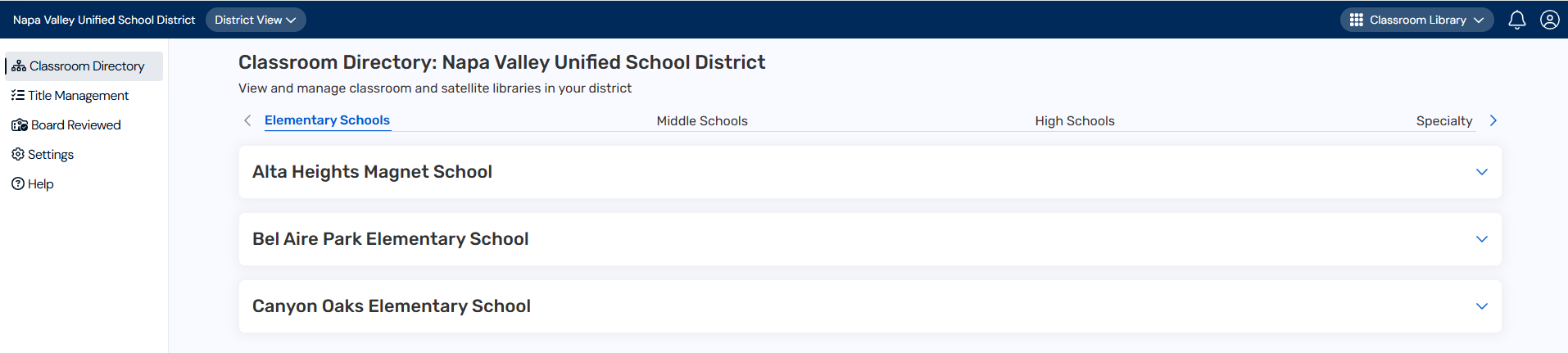
- From the sidebar, click Settings.
- In the Specify district oversight and classroom library communications row, click
 .
. - Under Teachers and staff settings, deselect the Allow teachers to start new libraries checkbox.
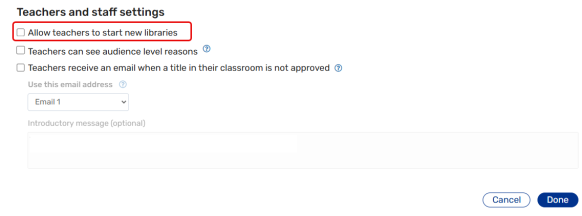
- Click Done.
|
Note: If this setting is disabled, teachers will only see the option to claim a library on the Welcome page. They will not be able to start a new library. |